NewCHAX 11 and MultiCHAX 11 are here.MultiCHAX 11 →  CHAX 11 →

BUSINESS CHECK SOFTWARE SINCE 1992

Business Check Printing & Check-by-Phone Software

Two powerful desktop software solutions to simplify how your business prints checks and receives payments.

MULTICHAX / CHECK PRINTING

Print checks your way.

Print business checks from your accounting software using blank check stock, for payroll, accounts payable, and multiple bank accounts.

Explore MultiCHAX Start Trial
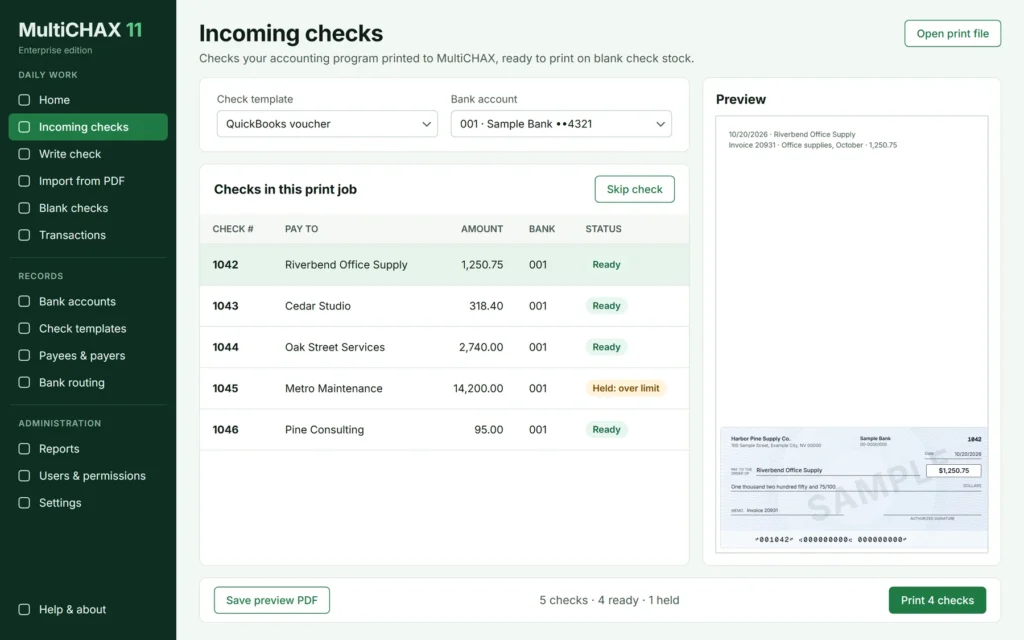
MultiCHAX 11 Incoming checks view, recreated with sample data.

CHAX / PAYMENT COLLECTION

Get checks without the wait.

Accept authorized check payments by phone, fax, or email and prepare checks for deposit without CHAX transaction fees.

Explore CHAX Start Trial
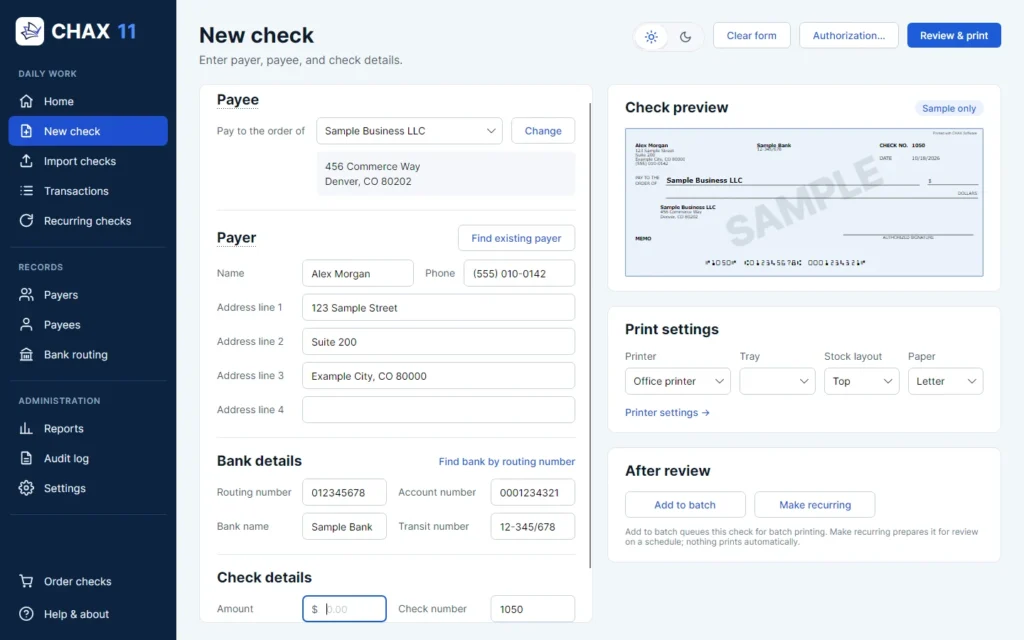
CHAX 11 New check screen with payee, payer, bank details, and a check preview, using sample data.

Built for business

Desktop software for business check workflows.

Works with your software

QuickBooks, Quicken, Sage 50, Xero, and others.

Experienced support

Real help from a team that knows check software.

Long-term expertise

Decades focused on business check software.

TWO PRODUCTS. TWO POWERFUL WORKFLOWS.

One trusted company. Two smarter ways to handle checks.

MULTICHAX

I need to write and print business checks.

For money going out: vendor, payroll, and accounts payable checks.

Accounting software → MultiCHAX → Blank check stock → Printed check

Go to MultiCHAX

CHAX

I need to receive check payments.

For money coming in: authorized payments by phone, fax, or email.

Payer authorizes → CHAX → Check draft → Your bank

Go to CHAX

MULTICHAX

Check Printing Software for QuickBooks and Sage 50

Turn blank check stock into professional business checks while simplifying check printing across accounts, vendors, and payroll.

  • Blank check stock
  • MICR printing
  • Multiple bank accounts
  • Accounting software compatibility
  • Custom check layouts
Start MultiCHAX Trial
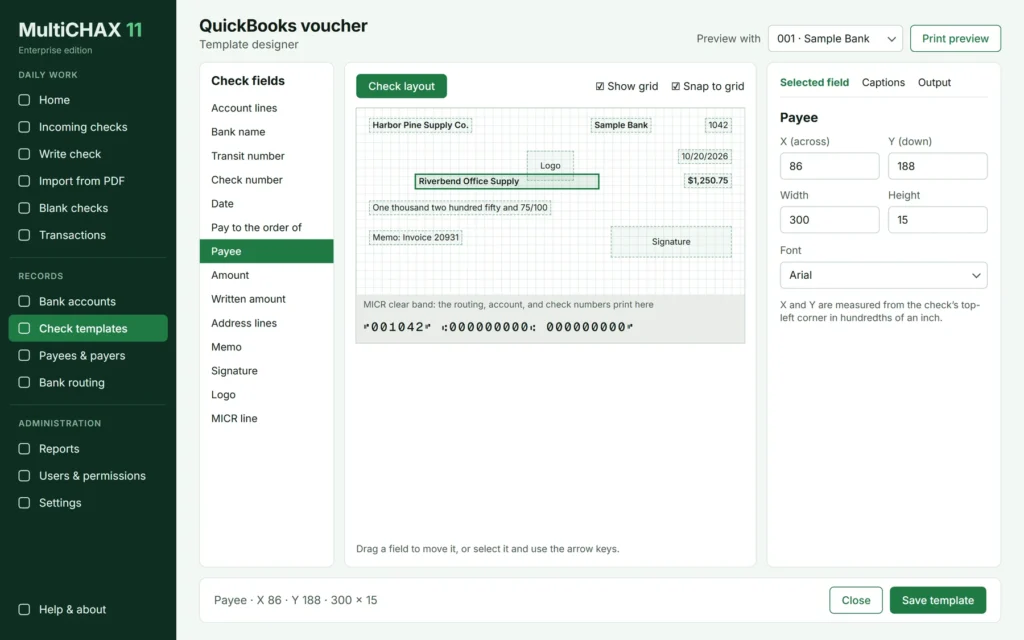
MultiCHAX 11 Template designer view, recreated with sample data.
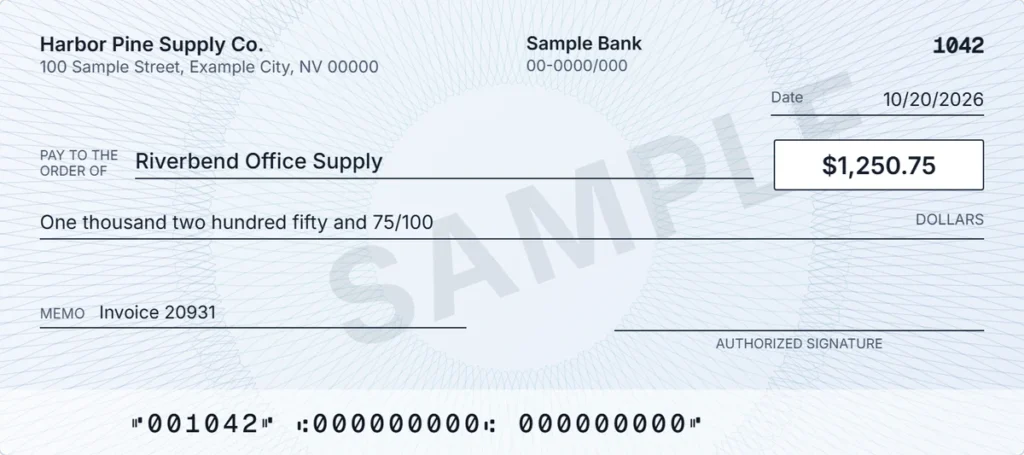
Sample check marked SAMPLE with an invalid MICR line.

MultiCHAX 11 interface recreated with sample data for this design.

See MultiCHAX in action

Watch how check printing works from QuickBooks, QuickBooks Online, and Sage 50.

CHAX

Check-by-Phone and Debt Collection Software

Receive authorized check payment information remotely, prepare check drafts, and simplify your collection workflow.

01

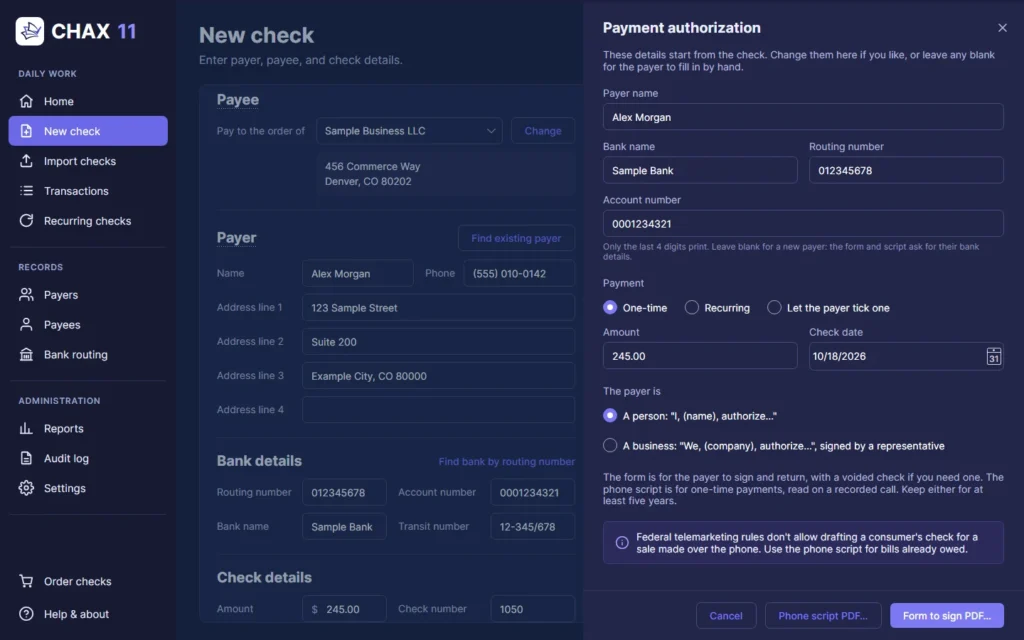
CHAX 11 Payment authorization panel with sample payer and bank details.

Receive authorized check details

Use the phone script or a signed authorization form.

02

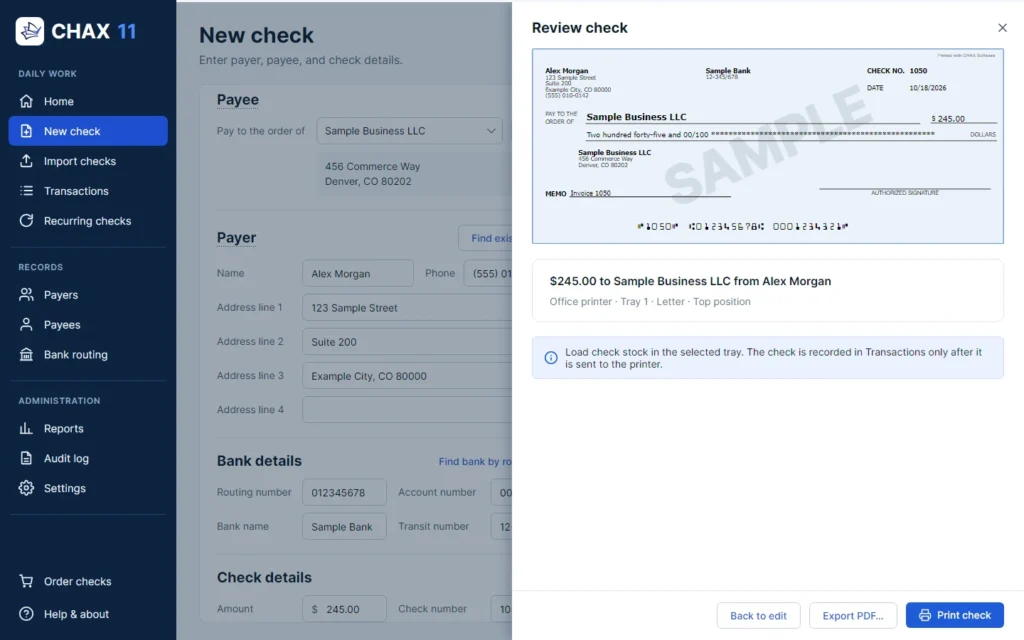
CHAX 11 Review check panel showing a sample check marked SAMPLE and its print details.

Prepare and print the check draft

Review the check, printer, and stock before it prints.

03

Sample check marked SAMPLE with an invalid MICR line.

Deposit the check with your bank

Funds availability and acceptance depend on your bank. Talk to your bank before your first deposit.

See CHAX in action

Watch how check drafts work for payments taken by phone.

Start CHAX Trial

INSIDE THE SOFTWARE

Purpose-built tools for serious business workflows.

MultiCHAX 11 Template designer view, recreated with sample data.

MultiCHAX check designer

Drag each field into place. Recreated with sample data.

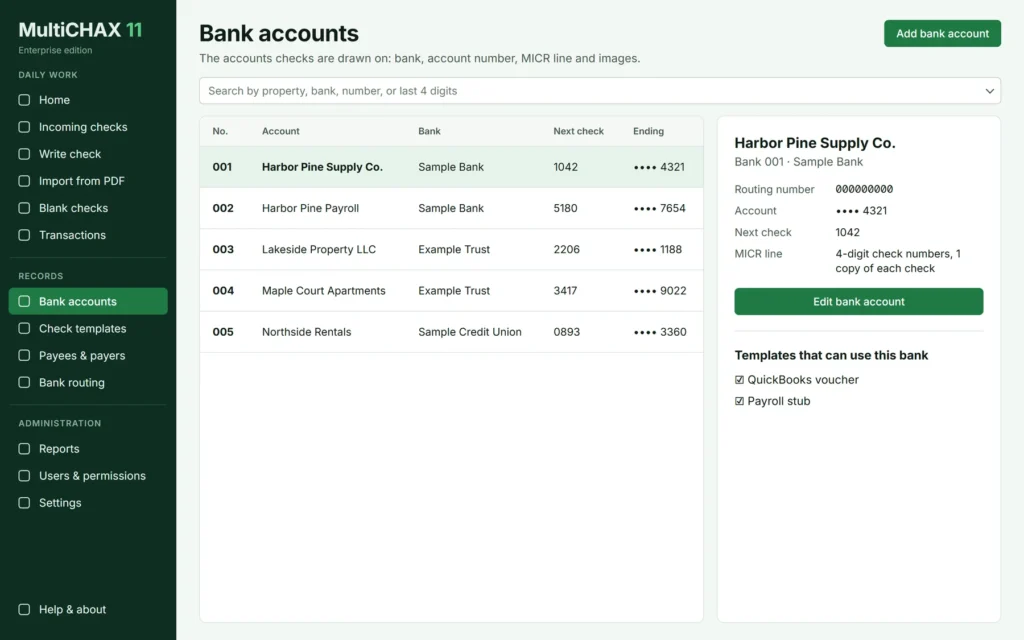
MultiCHAX 11 Bank accounts view, recreated with sample data.

MultiCHAX bank accounts

Every account and next check number in one place. Recreated with sample data.

MultiCHAX 11 Incoming checks view, recreated with sample data.

MultiCHAX print workflow

Review each check before it prints. Recreated with sample data.

CHAX 11 New check screen with payee, payer, bank details, and a check preview, using sample data.

CHAX payment entry

Watch the check preview update. App capture, sample data.

CHAX 11 Review check panel showing a sample check marked SAMPLE and its print details.

CHAX printable check draft

Confirm the check, printer, and stock. App capture, sample data.

CHAX 11 Transactions screen listing sample checks with details and output history.

CHAX transaction records

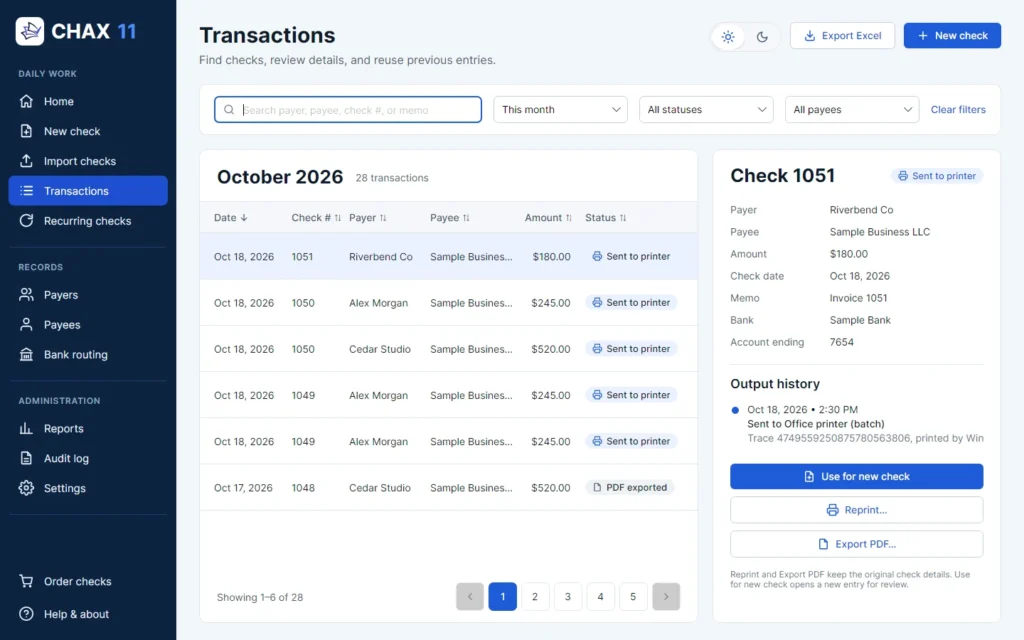
Find, review, and reuse past checks. App capture, sample data.

WHY BUSINESSES CHOOSE CHAX

Less check handling. More control over it.

Lower operating costs

Blank check stock can replace separate preprinted checks for each account, and CHAX adds no per-transaction software fees.

Greater workflow control

See each check before it becomes paper.

Accounting compatibility

QuickBooks, QuickBooks Online, Quicken, Sage 50, Xero, and others.

Less administrative friction

Fewer checks in the mail. Fewer stacks of preprinted stock to manage.

Built for business

Accounting. Payroll. Accounts receivable. Collections.

Experienced support

Serving businesses since 1992. Monday to Friday, 7:00 AM to 4:00 PM Pacific. (702) 389-6009

Not sure which software you need?

What you need to do MultiCHAX CHAX
Printing vendor checks ✓ —
Printing payroll checks ✓ —
Printing checks on blank stock ✓ ✓
Managing multiple bank accounts ✓ —
Accepting check payments by phone — ✓
Accepting check details by email or fax — ✓
Preparing remote check drafts — ✓
Handling accounts receivable — ✓

PRICING

Choose the software, then the edition that fits.

MultiCHAX

Desktop check printing

From $15/month or $299 lifetime

  • Print from your accounting software
  • Multiple editions based on your needs
  • Free trial available
View Editions & Pricing Download Trial

CHAX

Desktop check-by-phone software

From $15/month or $299 lifetime

  • Accept authorized payments remotely
  • Software licensing options
  • Free trial available
View Editions & Pricing Download Trial

CUSTOMER STORIES

What our customers say

“Your support is what sold me on your product. I demoed a different product that would have been less expensive but the support was very frustrating, always waiting for return calls and talking me through what to do. The fact that you answer the calls and hop on my machine and make everything effortless sold me on your product.”

Darlene Diemer
Diemer Accounting, Inc.

“The agent was able to direct me to what needed to be fixed quickly and easily and had the program up and running with signature in just a few minutes! I use MultiCHAX to aid me in working remotely with several clients. It makes life immensely easier and less expensive than preprinted checks.”

Robert Alvarado
Endeavor Accounting, Inc.

“It was a wonderful time working with John. His technical support is perfect. I am confident with using MultiCHAX software now.”

Tracey Lu
B&D Seafoods, Inc.

“Amazing experience as always with calling this company. Everyone is so very helpful and will walk through with me what needs to be done. The customer service with this company is beyond reproach and always available to assist with any situation.”

Cher Bell
Celtic Bookkeeping and Tax Service, LLC

RESOURCES

Answers for smarter business check workflows.

FROM THE BLOG

Latest articles

QuickBooks Check Writing: Step-by-Step Guide for Desktop and Online Users

Master QuickBooks check writing with our step-by-step guide. Effortlessly manage your finances for both QuickBooks [...]

How to Print Blank Checks with MICR and Secure Formatting

Learn how to print blank checks efficiently with MICR technology for secure and professional results [...]

Unbiased QB Online Review: Is QuickBooks Worth Your Time?

Looking for an unbiased review of QuickBooks Online? You’ve come to the right place. In [...]

FAQ

Frequently asked questions

MultiCHAX is for money going out: it prints vendor, payroll, and accounts payable checks on blank check stock. CHAX is for money coming in: it helps you accept authorized check payments by phone, fax, or email and prepare checks for deposit.

Yes. With QuickBooks Desktop, you print checks to the MultiCHAX printer and review them in MultiCHAX before they print. With QuickBooks Online, you save the checks as a PDF and bring them in with Import from PDF.

MultiCHAX works with Quicken, Sage 50, MAS 90, Great Plains, and other accounting programs that print checks. It also imports check PDFs from QuickBooks Online and Xero.

You need a Windows PC, a laser printer, and blank check stock. Many banks also ask for MICR toner, so their machines can read the line of numbers along the bottom of the check.

Yes, both MultiCHAX and CHAX offer a free trial with no credit card needed. The trial has the features turned on, including printing. Trial checks print with a DEMO watermark and are not valid until you activate a license.

No, neither product charges a fee for each check or transaction. Some editions limit how many checks you can print each month, so compare editions to find the right fit.

Most banks accept remotely created checks, but some have their own rules or ask you to tell them first. Talk to your bank before your first deposit, because acceptance and funds availability depend on your bank.

Yes, when the payer clearly authorizes the amount and you can show it. Debt collectors also follow the Fair Debt Collection Practices Act and Regulation F, and the FTC Telemarketing Sales Rule does not allow remotely created checks as payment for goods or services sold by telemarketing. This is not legal advice, so talk to your legal advisor about your situation.

MultiCHAX and CHAX are desktop applications for Windows, including Windows 10 and Windows 11. Computers in your office can share one database over your network, and edition limits and licensing vary by product.

Yes. MultiCHAX 11 imports your bank accounts, users, payees and payers, and check history from previous versions of MultiCHAX, and CHAX 11 imports your CHAX 10 data. Contact us and we will help you plan your upgrade.

Make every check workflow simpler.

Discover the right CHAX software for your business — whether you’re printing checks or receiving payments.

Explore Our Software Contact Sales